

Mikro Barcode System
Fewer counting errors, faster picking.
 What is included
- Barcode-verified picking
- Label design and printing
- Faster stocktaking
- Handheld terminal setup
- Live stock accuracy in Mikro
Who it suits
Teams picking dozens of orders a day where errors are expensive.
Businesses needing accurate stock across shelf and stockroom.
Operations tracking raw material and finished goods movements.
Businesses handling high line counts per order.
What the system covers
Label generation
Labels are produced from your existing Mikro stock cards, with the fields and sizes you need.
Handheld terminals
Devices are configured, tested and deployed with the screens your team will actually use.
Verified picking
Each line is scanned as it is picked, and the device warns the moment something does not match.
Goods receipt
Incoming deliveries are scanned in, and quantities post to Mikro stock immediately.
Tip: Label the fast-moving items first. Chasing full coverage before going live is the most common reason barcode projects stall.
Live in three steps
Stock structure, item volumes and physical layout are reviewed.
Labels are produced and terminals configured for your flows.
Teams are trained, and the first counts and picks are supervised.
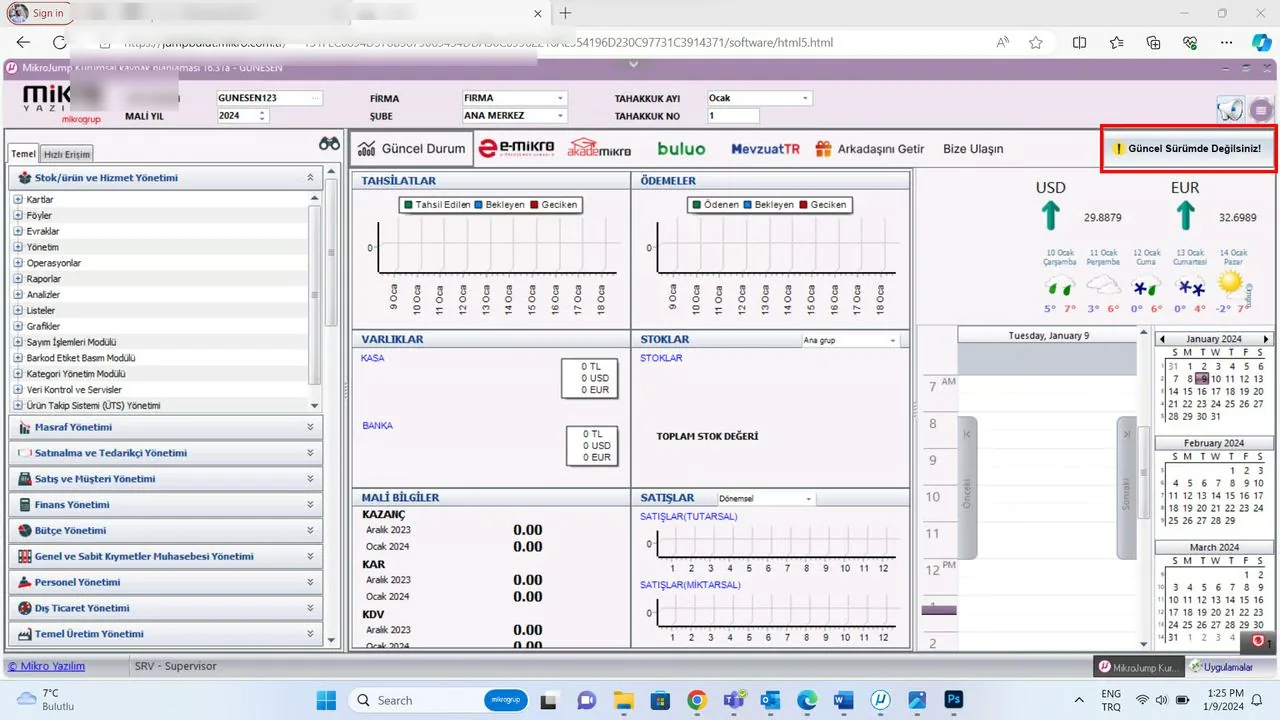
A view from the Mikro Jump application

Common questions
Can we use our existing barcodes?
Yes. Barcode definitions already in Mikro carry over, and where an item has none, labels can be generated from the system.
Which devices are supported?
Android industrial handhelds, desktop use with a wireless scanner, and phone cameras on both Android and iOS.
Do we need to stop the warehouse to count?
No. Counts can be run rack by rack while normal operations continue.
How long does setup take?
A basic setup can be running in days. Full rack addressing and terminal rollout usually takes a few weeks.
Keep exploring
Let us show you how Mikro Barcode System works in your business
Let us walk through it together in a short demo — your data, your scenario, your questions answered live.