
NimboX CRM
Bring leads, quotes, visits and orders together on a single screen — from first contact to the order in Mikro.
Who uses the CRM module
Sees where every deal stands and how the month is likely to close.
Opens the customer history before the visit and files the report on the spot.
Builds quotes from Mikro price lists in minutes and tracks every revision.
Sees total open business and the realistic chance of closing it at a glance.
What you deal with today, and how it looks with NimboX
- Opportunities are scattered across spreadsheets and messaging groups
- Nobody is sure whether a quote was sent, revised, or followed up
- Reps promise discounts without seeing the customer’s balance
- The month-end question "how much will close?" is answered by guesswork
- Every opportunity sits on one board with its stage, value and owner
- Quote history is versioned and follow-up reminders fire automatically
- Balance, credit limit and price list from Mikro appear live on screen
- A forecast weighted by real close probability, not optimism
CRM capabilities
Opportunity and sales process management
Manage deals across stages on a drag-and-drop board. Every stage tracks its close rate and average duration, and stalled deals are flagged automatically.
Quoting and revision tracking
Build quotes straight from Mikro stock cards and price lists. Each revision is stored as a version, and an approved quote becomes a Mikro order in one click.
Activity, visit and task tracking
Log calls, visits, emails and tasks against the customer record. Field teams file visit reports from their phones while still on site.
360° customer view
A customer’s full picture on one screen: open quotes, orders, balance and credit status from Mikro, past conversations and open service tickets.
Reminders and automatic alerts
Automatic alerts for quotes nearing expiry, accounts left untouched too long, or customers exceeding their credit limit.
Sales performance dashboard
Target versus actual by rep, region, product group and period — including an analysis of lost deals and the reasons behind them.
How does it work?
Leads from web forms, phone calls or field visits land in CRM, with duplicate checking applied automatically.
Qualified leads turn into opportunities with an estimated value, close date and owner.
Quotes are generated from Mikro price lists, sent as PDF, and revisions are tracked as versions.
Once approved, the quote becomes a Mikro order in one click and continues through your normal Mikro workflow.
NimboX CRM in action
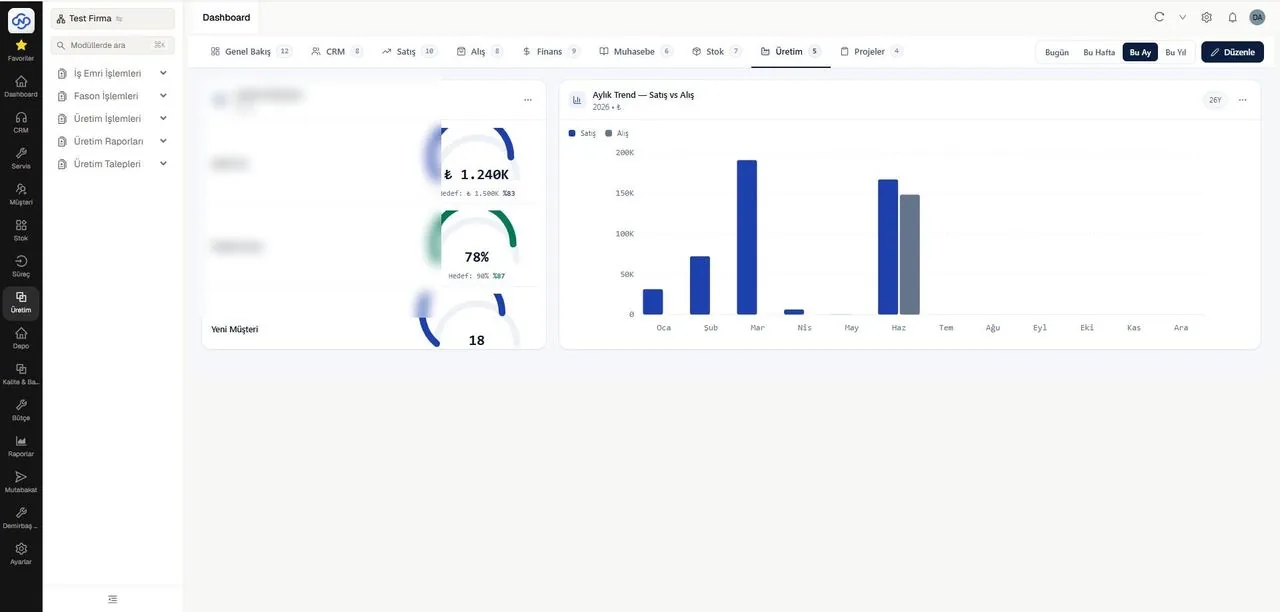
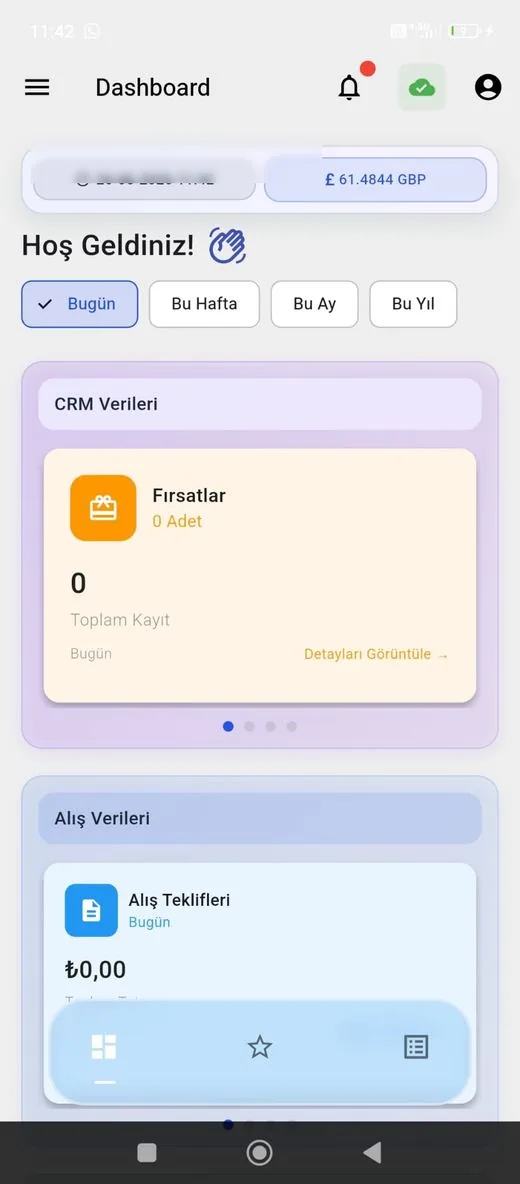
Representative screens — the module is configured for your business. Customer data has been blurred.
Which data flows in which direction?
- Customer records and contact details
- Stock cards, price lists and campaigns
- Balances, credit limits and payment terms
- Issued invoices and collections
- Orders created from approved quotes
- New leads and customer records
- Updated contact information
- Sales rep and territory assignments
NimboX runs directly on your Mikro database — there is no data transfer and no second copy. Records that do not exist in Mikro, such as opportunities, activities and work orders, are held in the NimboX database.
Quotes, orders, balance and history side by side
Quotes and orders are created directly in Mikro
Field teams file visit reports from their phones
Common questions
Will our existing Mikro customer records be available in CRM?
Yes. Your customer records, contact details and balances are available from day one, and the two systems stay in step from then on.
Can we send quotes using our own template?
Yes. The quote PDF is designed around your corporate identity, and you can define several templates for different product groups.
Can field staff work without an internet connection?
The mobile screen caches recently viewed records, and any visit report entered offline is sent automatically once the connection returns.
Does a sales rep only see their own customers?
Permissions are flexible: a rep sees their own portfolio, a manager sees the region, and management sees everything.
Other NimboX modules
How would NimboX CRM work for you?
Let’s walk through your own processes in a short demo and clarify setup and pricing.