

NimboX Field Service
Track service from the first fault call to the invoice — and always know which device is where and which technician is on it.
Who uses the Field Service module
Monitors open work orders, technician workload and overdue jobs from one board.
Receives the work order on a phone and records parts and labour on site.
Opens a fault call with the device’s full history already on screen.
Makes sure out-of-warranty work actually gets invoiced.
What you deal with today, and how it looks with NimboX
- Fault records live in notebooks and phones, and device history is unknown
- Nobody knows where a technician is or whether the job is finished
- Spare parts are not deducted from stock and quietly disappear
- Warranty coverage becomes an argument and billable work gets missed
- Every device carries its full service history under its serial number
- Work order status and field entries are live, with planning on a calendar
- Parts entered in the field are deducted from Mikro stock automatically
- Warranty dates sit on the device card, and out-of-scope work routes to invoicing
Field Service capabilities
Device and serial number records
Each device carries its owner, installation date, warranty status, fault history and replaced parts on a single card.
Work order management
Fault calls become work orders with a priority, technician and appointment slot. Status changes can be sent to the customer automatically.
Technician planning calendar
See technician availability on a drag-and-drop calendar and assign the best-suited person by territory and skill set.
Mobile field app
The technician opens the work order on a phone, records the work performed and parts used, and captures the customer signature on screen.
Spare parts and stock integration
Parts used in the field are deducted from the service van or main warehouse, and replenishment requests are raised automatically.
Preventive maintenance scheduling
Contracted maintenance visits populate the calendar automatically, with reminders sent to both the customer and the team.
How does it work?
The customer calls or reports through the portal; the serial number brings up the full device history.
A suitable technician and appointment slot are assigned, and the customer is notified.
The technician records the work, the time spent and the parts used on mobile, then captures a signature.
If the work falls outside warranty, an invoice is created in Mikro; parts leave stock and the device history is updated.
NimboX Field Service in action
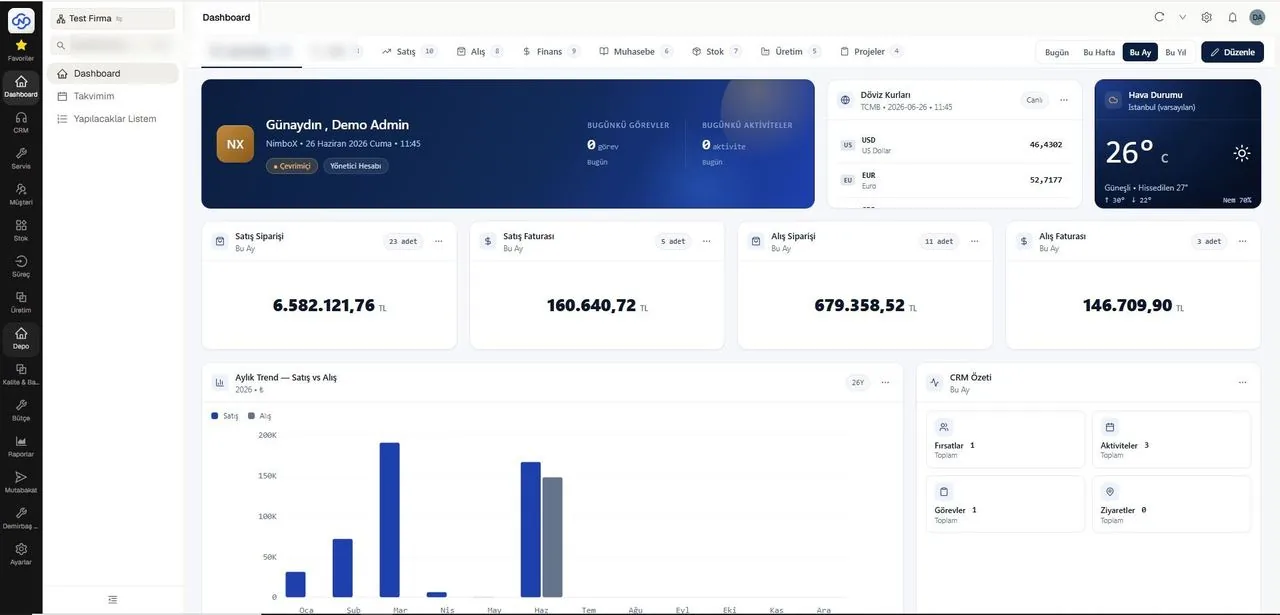
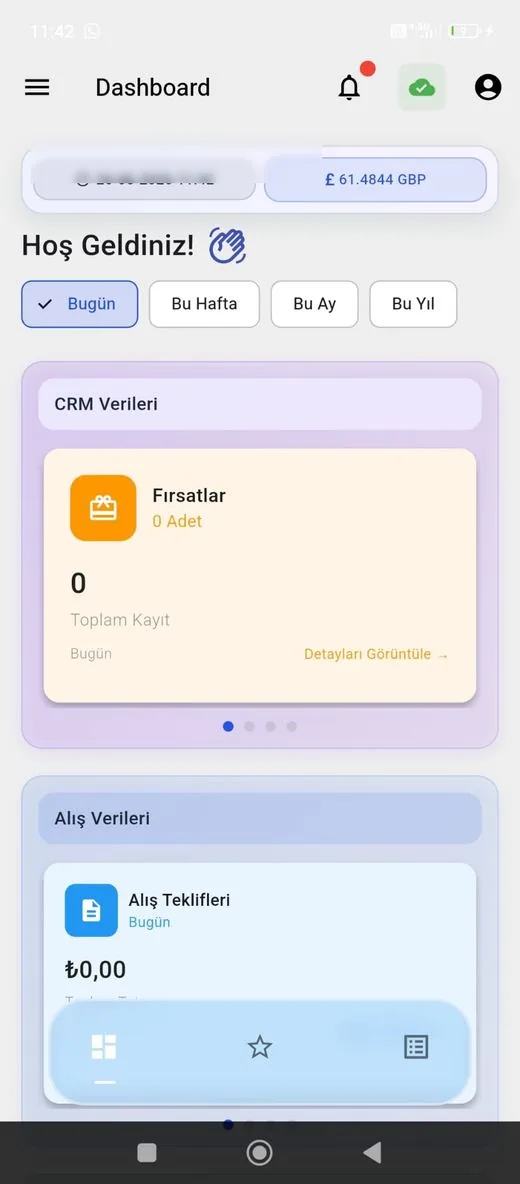
Representative screens — the module is configured for your business. Customer data has been blurred.
Which data flows in which direction?
- Customer records and contact details
- Spare part stock cards and quantities
- Device and serial number data from sales invoices
- Price lists and labour rates
- Service invoices and labour lines
- Stock issues for spare parts used
- Service van warehouse movements
- Newly created device records
NimboX runs directly on your Mikro database — there is no data transfer and no second copy. Records that do not exist in Mikro, such as opportunities, activities and work orders, are held in the NimboX database.
Every fault and maintenance visit in one place
Parts and labour are captured as the job finishes
Chargeable work no longer goes uninvoiced
Common questions
Can we track parts in service vans as separate stock?
Yes. Each service van is defined as its own warehouse in Mikro; parts used in the field are deducted from that warehouse and replenished by transfer.
Can customers open service requests themselves?
Yes. With the optional customer portal, your customers can report faults and follow the status of their tickets.
Which phones can technicians use?
Android and iOS both work; the field screen opens fully in the browser on either. If the connection drops, entries are held on the device and sent automatically once it returns.
Can we track preventive maintenance contracts?
Yes. Contract duration and maintenance intervals are defined once, and visit dates then appear on the calendar with automatic reminders.
Other NimboX modules
How would NimboX Field Service work for you?
Let’s walk through your own processes in a short demo and clarify setup and pricing.