

NimboX Reporting
See your Mikro data without waiting for a report: build your own dashboard and start the day with the numbers ready.
Who uses the Reporting module
Checks daily revenue, collections and profitability from a phone in the morning.
Monitors overdue receivables and the cash projection.
Tracks performance by product, region and sales rep.
Measures stock turnover and dispatch performance.
What you deal with today, and how it looks with NimboX
- Asking for a report means work for accounting and an answer tomorrow
- Everyone quotes different numbers from different spreadsheets
- The data is only reachable from a desk
- Critical changes are noticed only if somebody happens to look
- Dashboards are live, and everyone looks at them from their own screen
- A single source — Mikro — feeds every dashboard
- Dashboards work fully on phones and tablets
- Threshold alerts and scheduled email reports go out automatically
Reporting capabilities
Drag-and-drop dashboard builder
Build your own dashboard from charts, metric tiles, tables and gauges, and define different dashboards for different roles.
Ready-made management dashboards
Frequently used dashboards for revenue, collections, receivables ageing, stock turnover and profitability ship with the installation.
Live data and automatic refresh
Dashboards read from Mikro and refresh on the interval you set, so intraday movement is visible without delay.
Scheduled email reports
Daily, weekly or monthly reports are emailed automatically to the people you choose, with Excel or PDF attachments.
Threshold alerts
Set thresholds for receivables, stock or margin, and the relevant person is notified as soon as a limit is crossed.
Excel and PDF export
Every table and chart can be exported to Excel or PDF in one click, with presentation-ready formatting preserved.
How does it work?
Your Mikro database is connected securely, and the data to be read is defined by permission.
You start from the ready-made dashboards or design your own from scratch.
Who sees which dashboard, and at which level of detail, is configured by role.
Dashboards are monitored live while scheduled reports and alerts go out automatically.
NimboX Reporting in action
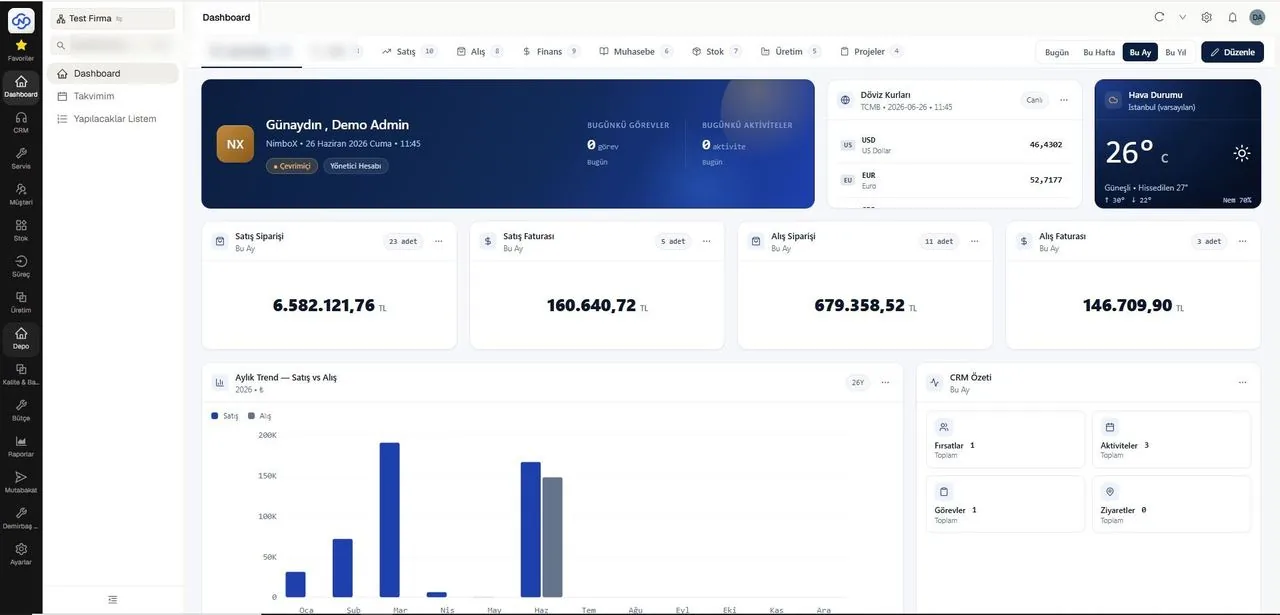
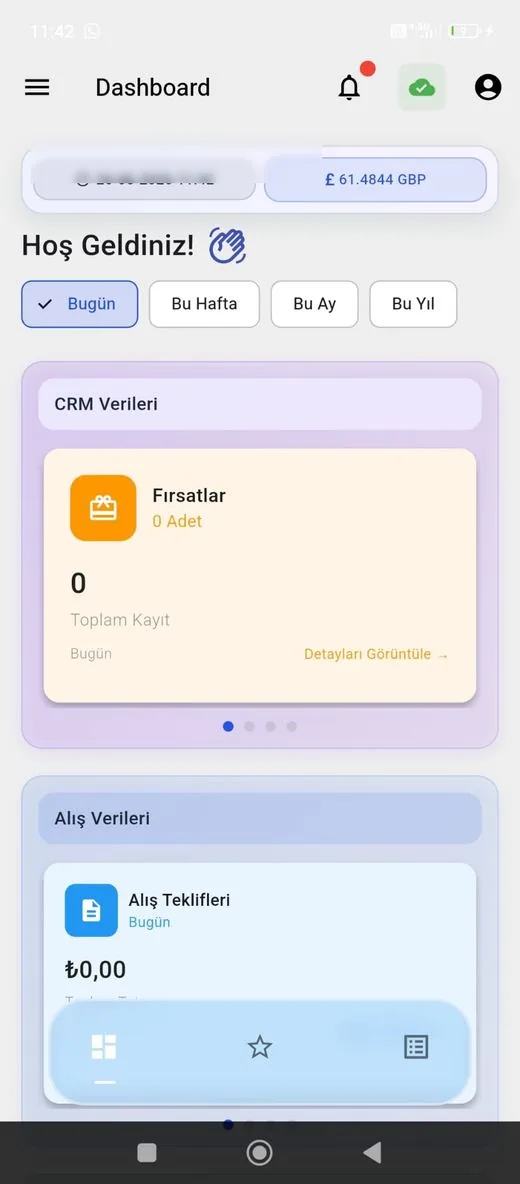
Representative screens — the module is configured for your business. Customer data has been blurred.
Which data flows in which direction?
- Sales, purchase and stock movements
- Customer account and collection data
- Chart of accounts and cost centres
- Production and costing data
- (The reporting module reads only — it does not write to Mikro)
- Calculated metric values are archived
- Alert and report delivery logs
- User access logs
NimboX runs directly on your Mikro database — there is no data transfer and no second copy. Records that do not exist in Mikro, such as opportunities, activities and work orders, are held in the NimboX database.
An instant view without waiting for a report request
Every dashboard reads the same Mikro data
Reports reach the right people on time
Common questions
Is access to our Mikro database safe?
The connection is established with read-only permissions over an encrypted channel. The tables that can be read are restricted, and no write operations are performed.
Can we design our own reports?
Yes. The dashboard builder needs no technical background — you pick the fields and choose a chart type. Our team helps with more complex reports.
How many users can access the dashboards?
User numbers depend on your licence. More economical view-only access is available for users who do not need to edit.
Will it slow our system down?
Reports are designed to run against summary tables, and heavy queries are scheduled outside working hours so the live system is not affected.
Other NimboX modules
How would NimboX Reporting work for you?
Let’s walk through your own processes in a short demo and clarify setup and pricing.